SBH Touch1.4.1
Publisher Description
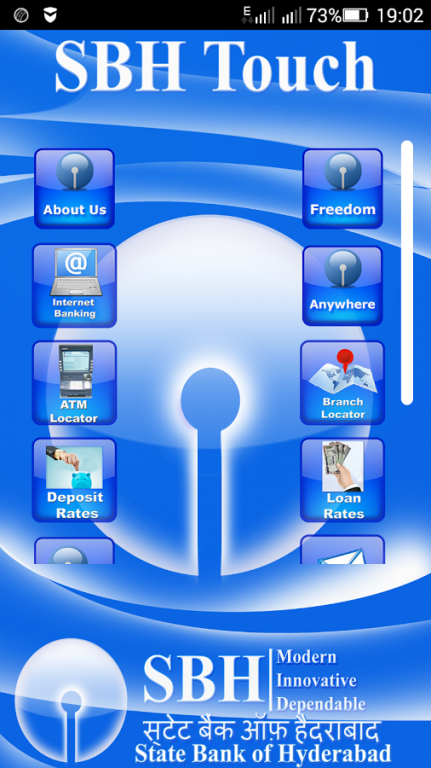
The Features of the Application listed below.
1. About Us – To know about our Bank
2. Internet Banking
3. State Bank Freedom – Launch the State Bank Freedom if user already installed, if not application will take it to the Google Play Store to download it.
4. Associate Bank Any Where – Launch the Associate Bank Any Where if user already installed, if not application will take it to the Google Play Store to download it.
5. Locate ATMs through Google Maps.
6. Locate Branches through Google Maps.
7. Loan Interest Rates – To know current loan rates
8. Deposit Interest Rates – To know current deposit rates
9. Contact Us – Customer can contact through Call/SMS/E-Mail to our Customer Care for any queries.
10.Feedback – Enable customer to send the feedback about our Products/Services.
11.SBH Holidays – To know the holidays of the Branches in state-wise
12. Calculators for Fixed Deposit, Recurring Deposit and Loan EMI
13. To know our Banking Services through technology
About SBH Touch
The company that develops SBH Touch is State Bank of Hyderabad. The latest version released by its developer is 1.4.1.
To install SBH Touch on your Android device, just click the green Continue To App button above to start the installation process. The app is listed on our website since 2016-02-09 and was downloaded 89 times. We have already checked if the download link is safe, however for your own protection we recommend that you scan the downloaded app with your antivirus. Your antivirus may detect the SBH Touch as malware as malware if the download link to com.sbhyd.upkar is broken.
How to install SBH Touch on your Android device:
- Click on the Continue To App button on our website. This will redirect you to Google Play.
- Once the SBH Touch is shown in the Google Play listing of your Android device, you can start its download and installation. Tap on the Install button located below the search bar and to the right of the app icon.
- A pop-up window with the permissions required by SBH Touch will be shown. Click on Accept to continue the process.
- SBH Touch will be downloaded onto your device, displaying a progress. Once the download completes, the installation will start and you'll get a notification after the installation is finished.
Program Details
System requirements
Download information
Pricing
Version History
version 1.4.1
posted on 2016-02-09
Car Loan Online added
